Logic Commander
Hands-free voice control for Logic Pro. Stay at your instrument, or rest your hands entirely. Let your voice handle the rest.
Download Free Trial 7 days free, then $29, one-time. Buy a license
How It Works
Launch and forget
Logic Commander lives in your menu bar. Enable voice control and it listens quietly in the background.
Say the wake word
Say "Hey Logic" to activate, then follow it with a command. Or disable the wake word from the popover and speak commands directly.
Logic Pro responds instantly
"Hey Logic record" "Hey Logic stop" "Hey Logic undo", all without touching your keyboard.
App Screenshots
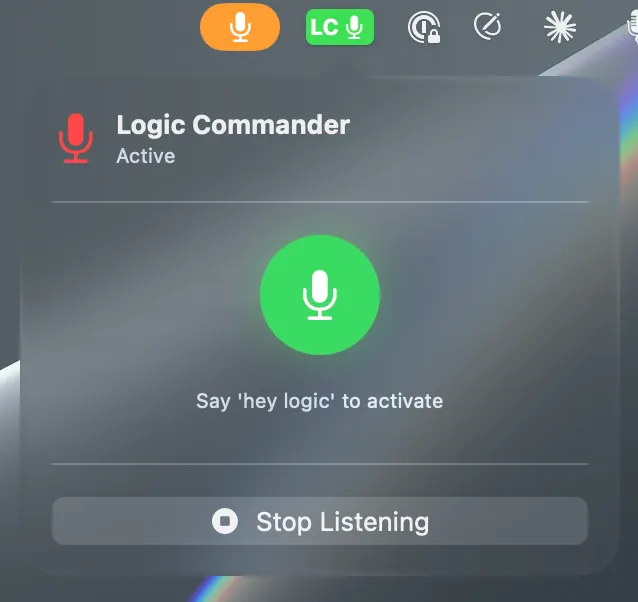
Live mic activity: know it's hearing you before you finish the command
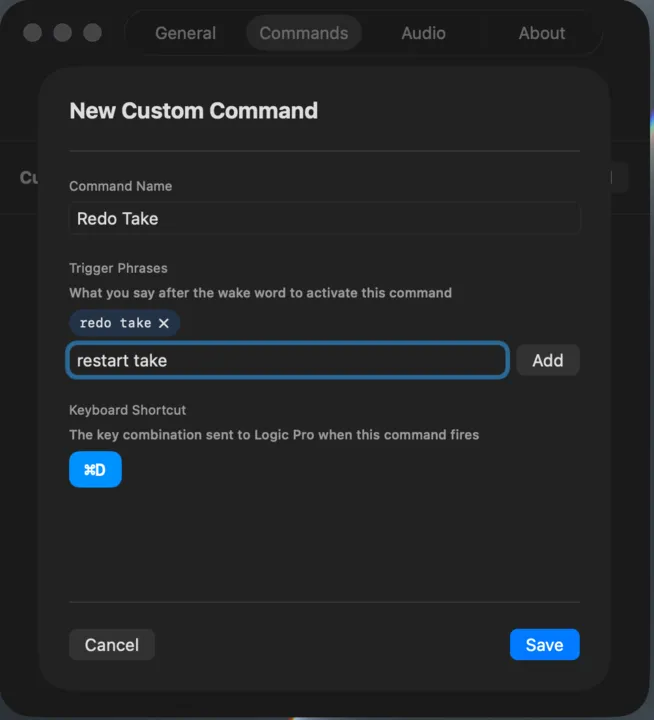
Custom commands: map any phrase to any Logic Pro keyboard shortcut
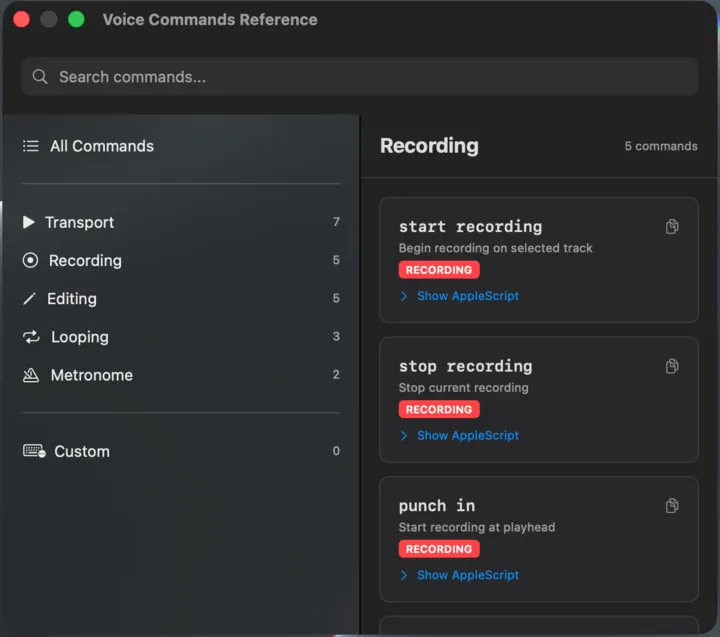
25+ built-in commands across transport, recording, editing, and mix tools
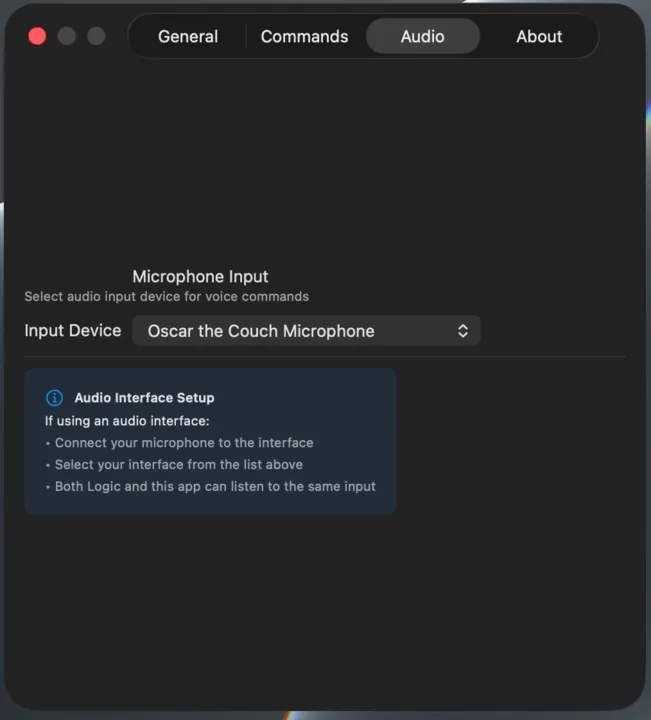
Works with any audio interface: select your input and start speaking
Built for Musicians
Wake Word Activation
Say "Hey Logic" before each command to stay in control. Recording direct with no vocals? Disable the wake word from the popover and speak commands directly.
Echo Suppression
Smart enough to ignore your voice commands when they play back through monitors during recording.
Works With Audio Interfaces
Use your recording mic: Scarlett, Apollo, or any interface. Logic Commander listens on the same input you're recording from, no separate mic needed.
Idle Auto-Disable
Set a timeout and Logic Commander will notify you or automatically stop listening after a period of inactivity, so you're not burning CPU when you step away.
Custom Commands
Map any phrase to any Logic Pro keyboard shortcut. Click a key combo to capture it, add trigger phrases, and speak to fire it. No coding required.
Editable Triggers
Prefer to say "halt" instead of "stop recording"? Override any built-in command's trigger phrases to match how you naturally speak.
25+ Built-in Commands
Transport, recording, editing, looping, metronome: all the controls you need while tracking, plus unlimited custom commands.
Live Mic Activity
The status indicator pulses and glows in real time as it picks up your voice, so you always know it's hearing you before you finish the command.
No App Switching Required
Logic Pro automatically comes to the foreground when a command fires. Speak from anywhere | Logic Commander handles the rest.
Reduces Physical Strain
Keep your hands on your instrument, or rest them entirely. Logic Commander is a natural fit for musicians managing RSI, repetitive strain, or any condition that makes keyboard use difficult.
Bar Navigation
Jump the playhead to any bar by voice. Say "Hey Logic, go to bar 32" or "play from bar 9", even spoken numbers like "bar twenty five" work.
Voice Commands
Transport
- play
- stop
- pause
- rewind
- fast forward
Recording
- record
- stop recording
- count me in
Editing
- undo
- redo
- save
- delete last take
Mix Tools
- click on / off
- loop on / off
- loop this section
Navigation
- go to bar 25
- play from bar 9
- bar twenty five
These are just the built-ins. In Settings, you can edit the trigger phrases for any command, or create your own, mapped to any Logic Pro keyboard shortcut. No coding required.
100% Private. Zero Data Collection.
All speech recognition runs entirely on your Mac using Apple's built-in Speech framework. No audio is ever recorded, stored, or transmitted anywhere. Nothing leaves your computer. Ever. No accounts. No analytics. No telemetry.
Requirements
Frequently Asked Questions
Stop reaching for the keyboard.
Try it free for 7 days. No account required. Just download and go.
Download Free Trial 7 days free, then $29, one-time. Buy a license